Staredit Network > Forums > SC2 Assistance > Topic: I can't edit the text in the script editor
I can't edit the text in the script editor
Jan 12 2012, 5:23 am
By: Antiname  

Jan 12 2012, 5:23 am Antiname Post #1


I wanted to change the text in the script editor directly for some reason. (Just trying to get the hang of things (again))
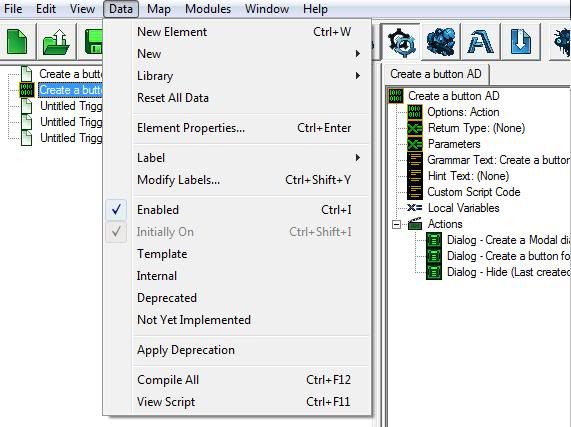
So I press data
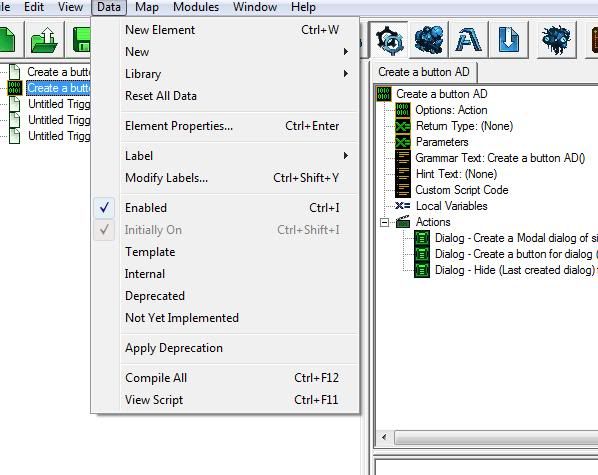
Press View Script

And edit the code
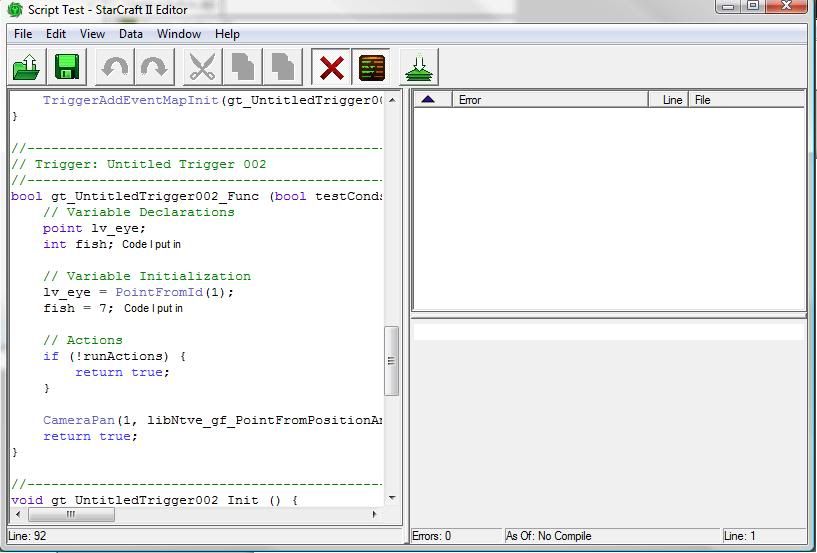
Compile the code

No errors show up
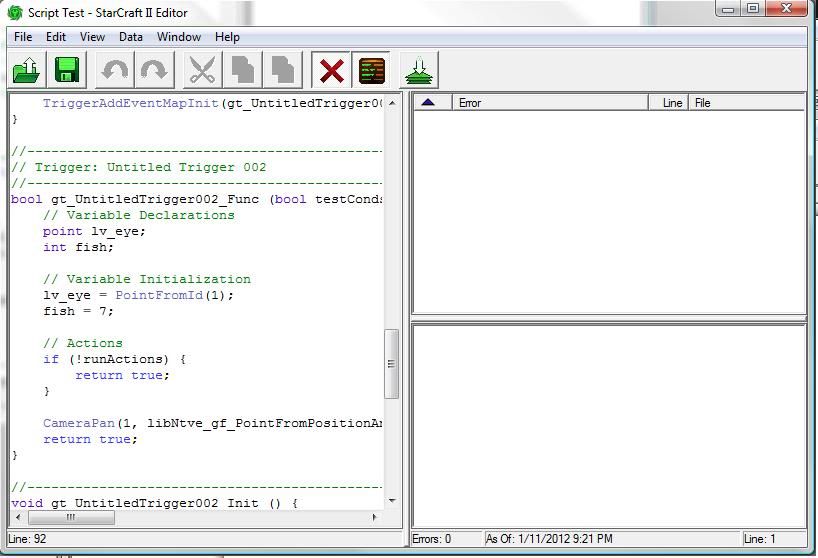
I save the file
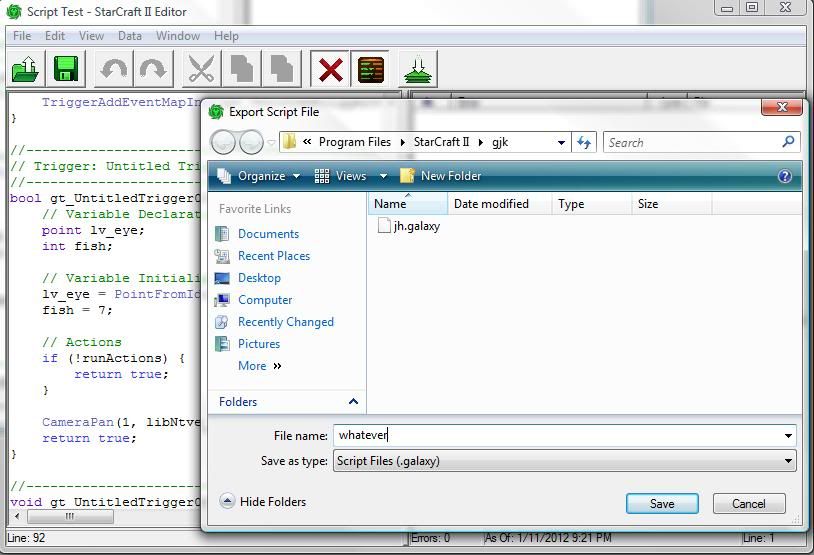
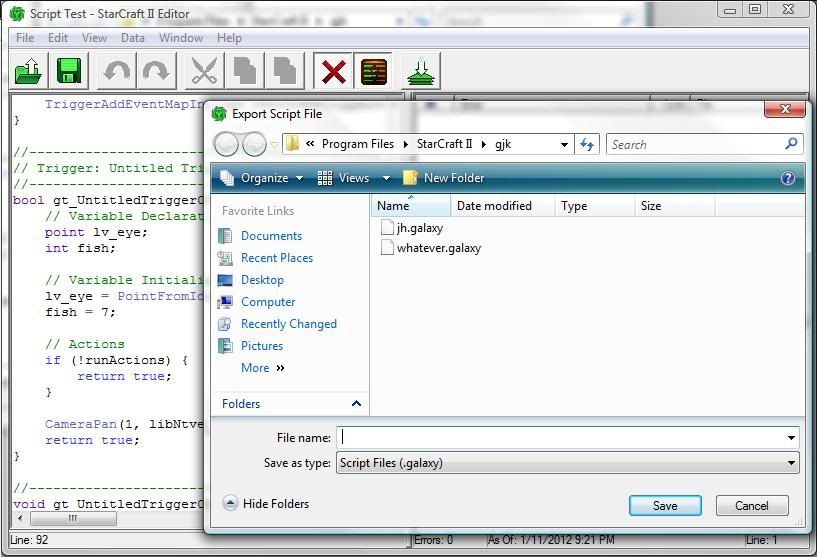
and exit out
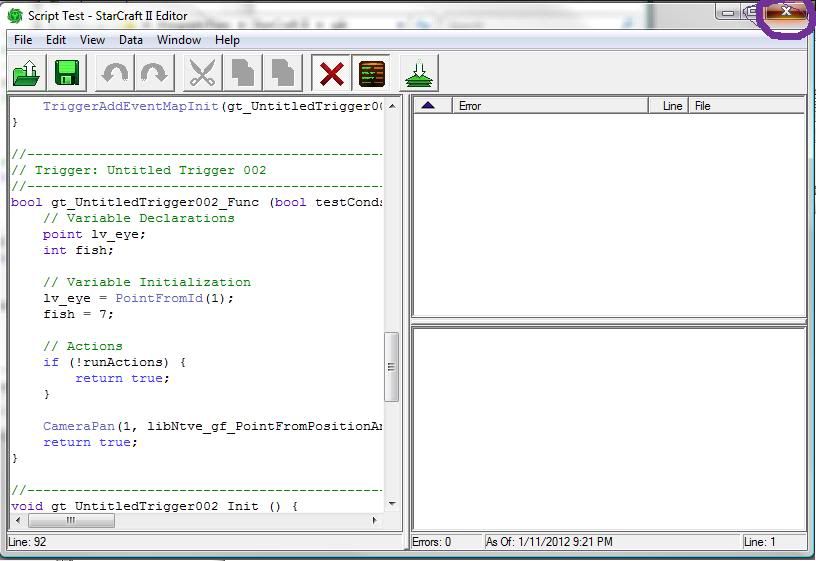
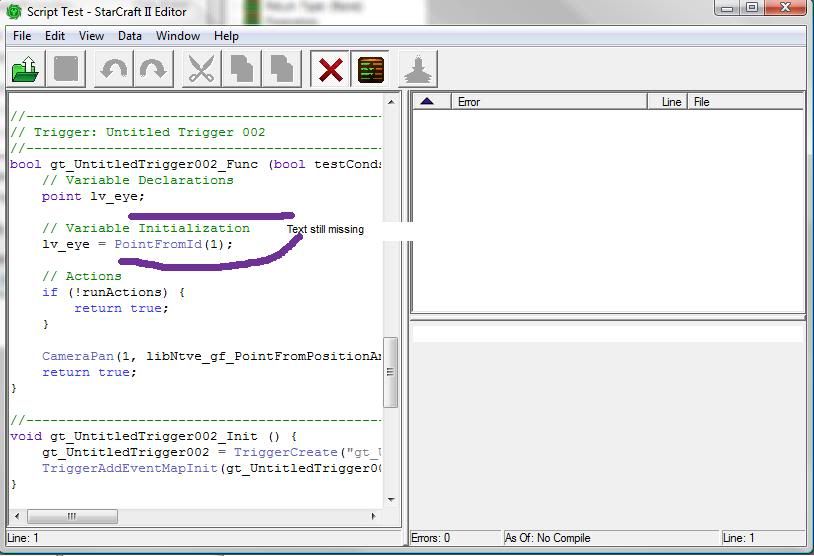
but when I go back the text I just entered and compiled is gone.


So I begin looking for a solution, and there is one in this section...
So I select modules

Click import
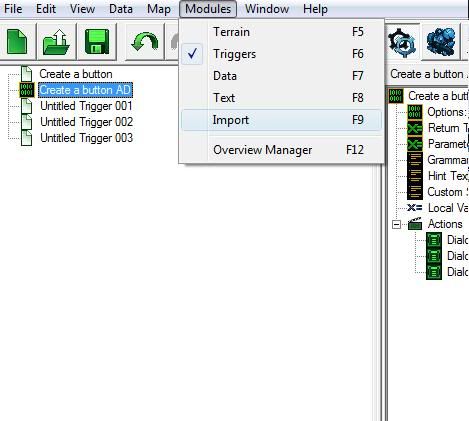
Go to data
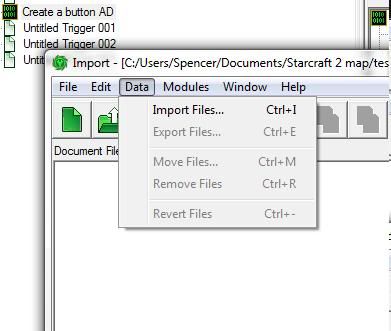
click import files

select the file I want to import
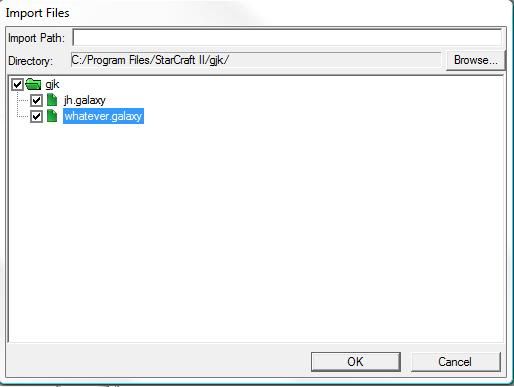
and click save
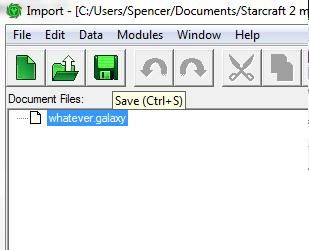
but when I go back

The text is still missing.

So my question is:
What did I do wrong?


None.

Jan 12 2012, 4:55 pm Ahli Post #2

I do stuff and thingies... Try widening and reducing the number of small nooks and crannies to correct the problem.

Maps contain a file called "MapScript.galaxy". That's the script you see.

Sadly, we can't edit it directly as you want.

So to use your new code, you should try to replace the "MapScript.galaxy" with your new file containing the complete new code.

I think you can save the map as a SC2components folder. Then everything just isn't inside a single map file. It's inside folders instead.
OR you open the map with an mpq editor like WINmpq and replace the file with that editor.

Also, make a backup copy of your map before tinkering with it. So you won't lose all triggers, if something goes wrong.


Jan 13 2012, 1:24 am Antiname Post #3


So I've imported the script, and although the script in the input window is the script I wrote, the script in the "view script" is different.

Is it supposed to be like that?


None.

Jan 13 2012, 2:11 am Ahli Post #4

I do stuff and thingies... Try widening and reducing the number of small nooks and crannies to correct the problem.

Quote from Antiname
So I've imported the script, and although the script in the input window is the script I wrote, the script in the "view script" is different.

Is it supposed to be like that?
It will always use the script in one specific file which is MapScript.galaxy.
If you didn't replace that file with your new script, your script won't be used.

The problem is that the skript editor doesn't overwrite MapScript.galaxy.

Also, I'm not sure, if updating the mapscript file will update what you can see in the GUI.


Jan 13 2012, 4:15 am Antiname Post #5


From what I've seen the mapscript file wont update what you can see in the GUI.


None.

Options
  Back to forum
Please log in to reply to this topic or to report it.
Members in this topic: None.
[02:53 am]
Mr.BurnLiquid -- Symmetry
Symmetry shouted: I'll check it out this weekend!
Thanks
[02:47 am]
Symmetry -- I'll check it out this weekend!
[02:40 am]
Mr.BurnLiquid -- Symmetry
Symmetry shouted: Another map maker? Damn we really ARE back
I invite you to try out the map I modified. I don't have the creativity to create maps from scratch, but I do have the know-how to modify existing ones; my project is to tweak community campaigns (specifically those with errors—to make them playable.
[02:27 am]
Symmetry -- Another map maker? Damn we really ARE back
[01:51 am]
Mr.BurnLiquid -- Ultraviolet
Ultraviolet shouted: Mr.BurnLiquid actually yeah though I wasn't really saying it to narc on you. It just caught me off guard because I don't usually see it (because it's against the rules) "The avatar may not be bigger than 150x150 pixels". Kinda silly that it relies on users to be well behaved rather than just limiting the dimensions on uploads :lol:
Now that I wanted to change my avatar, the error image is showing up, haha.
[01:34 am]
Mr.BurnLiquid -- Ultraviolet
Ultraviolet shouted: Mr.BurnLiquid actually yeah though I wasn't really saying it to narc on you. It just caught me off guard because I don't usually see it (because it's against the rules) "The avatar may not be bigger than 150x150 pixels". Kinda silly that it relies on users to be well behaved rather than just limiting the dimensions on uploads :lol:
Mr.BurnLiquid
Mr.BurnLiquid shouted: Ultraviolet Thanks; I'm new to the site and a Spanish speaker. I must have missed the part where it was prohibited—I'll change it now.
I invite you to try out a mission I'm modifying from *StarCraft Reversed*; I'm trying to make it more playable and challenging.
[01:33 am]
Mr.BurnLiquid -- Ultraviolet
Ultraviolet shouted: Mr.BurnLiquid actually yeah though I wasn't really saying it to narc on you. It just caught me off guard because I don't usually see it (because it's against the rules) "The avatar may not be bigger than 150x150 pixels". Kinda silly that it relies on users to be well behaved rather than just limiting the dimensions on uploads :lol:
Thanks; I'm new to the site and a Spanish speaker. I must have missed the part where it was prohibited—I'll change it now.
[01:31 am]
Ultraviolet -- Mr.BurnLiquid
Mr.BurnLiquid shouted: Ultraviolet Is it forbidden to have a large avatar?
actually yeah though I wasn't really saying it to narc on you. It just caught me off guard because I don't usually see it (because it's against the rules) "The avatar may not be bigger than 150x150 pixels". Kinda silly that it relies on users to be well behaved rather than just limiting the dimensions on uploads :lol:
[12:20 am]
Mr.BurnLiquid -- Ultraviolet
Ultraviolet shouted: https://staredit.net/profile/133367/ dude's avatar is massive
Is it forbidden to have a large avatar?
[12:04 am]
Ultraviolet -- https://staredit.net/profile/133367/ dude's avatar is massive
Please log in to shout.


Members Online: City, sarahtaylor