Staredit Network > Forums > SC2 Assistance > Topic: Custom Variables in Triggers-How?
Custom Variables in Triggers-How?
May 20 2010, 4:40 pm
By: Zenturen  

May 20 2010, 4:40 pm Zenturen Post #1


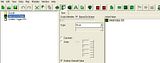
To gain an better understanding of Galaxy Editor I was using "The Hungry Baneling" map by Johnfloyd. When trying to make a similar speed increase map, I was trying to use custom variables.

I have no clue how to set the custom variables so they are accessible when creating triggers though...There are simply no variables to choose from even though I thought I set them. :dontgetit:

As requested...


Also, the only available tab which gives options to choose from is the function tab. I have also looked under game variants and game attributes to change variables, but I don't believe that is their intended use (also they don't work for me either).
I have no clue what you mean by a local variable.

Post has been edited 3 time(s), last time on May 20 2010, 7:01 pm by Zenturen.


None.

May 20 2010, 4:55 pm 13Stallion Post #2


Can you post more specific information please, its hard to tell what the problem is..

-It might be because you specified a variable for a certain data type such as - integer, If you are using a function etc.. that doesn't use an integer, it just won't show up

-If you declared a local variable it will ONLY show up in the trigger that you declared it in.

-Try using the Action: Variable -> Set Variable and see if your variable shows up there

-Post more info/screenshots if you can.


None.

May 20 2010, 7:26 pm Zenturen Post #3


Oh wow, what a revelation....After trying this for hours I just figured out if the "Defines Default Value" box is checked, the variable does not show up. When not checked it does! :D

Thanks, I figured it out when trying to use set var trigger.


None.

Options
  Back to forum
Please log in to reply to this topic or to report it.
Members in this topic: None.
[07:41 pm]
Ultraviolet -- just sent you a message on Discord. I suspect you're probably trying to change unit speeds for units that don't use flingy.dat for movement (like any units that walk instead of hovering/flying). You can change their movement to flingy, but they unfortunately look more like they're gliding than walking when you do that.
[07:31 pm]
Symmetry -- EE2, I've been using setdatfile successfully for units.dat and weapons.dat but the flingy changes don't seem to happen
[05:25 pm]
Ultraviolet -- in EE2 you just open DatEdit, go to the flingy tab, and make whatever changes you want. Though if you want to do dynamic shit, you have to use the trigger editor with the setdatfile action. And of course you have to inject your changes when done. Can give more specific troubleshooting advice if you provide more details
[05:20 pm]
Ultraviolet -- Symmetry
Symmetry shouted: why can't I seem to make eud editor change flingy.dat D:
Are you using EE2 or EE3?
[04:57 pm]
Symmetry -- wdym
[02:24 pm]
Apos -- :wob:
[04:16 am]
NudeRaider -- files in c:\program files\ are protected
[2026-7-11. : 8:11 pm]
Symmetry -- why can't I seem to make eud editor change flingy.dat D:
[2026-7-11. : 4:33 pm]
Ultraviolet -- :wob:
[2026-7-10. : 11:00 pm]
Vrael -- :wob:
Please log in to shout.


Members Online: Excalibur, Heinermann